Skip to content
KidCode · Founder & Lead Instructor · 2024–present

Teaching Python to kids, from print() to NLP

I started KidCode in 2024 to teach programming to students in my community in Frisco, Texas. What began as introductory Python classes grew into a three-year curriculum: Python fundamentals, then more advanced programming, then introductory natural-language processing with spaCy.

120+ students · 10 communities · 3-year curriculum · 1,200+ student projects

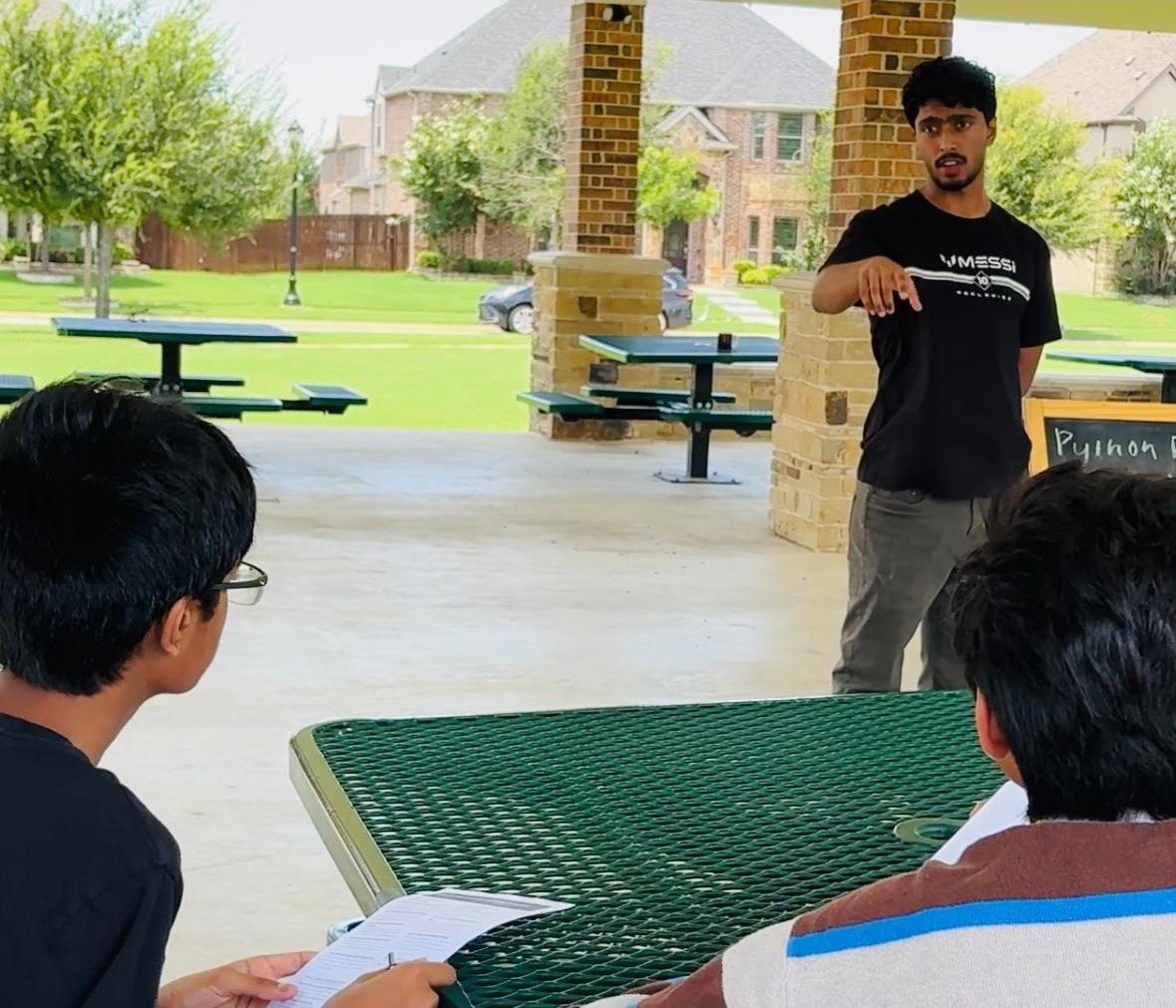
Deeptanshu presenting at an outdoor picnic table while others sit in the foreground
Teaching an early in-person session.
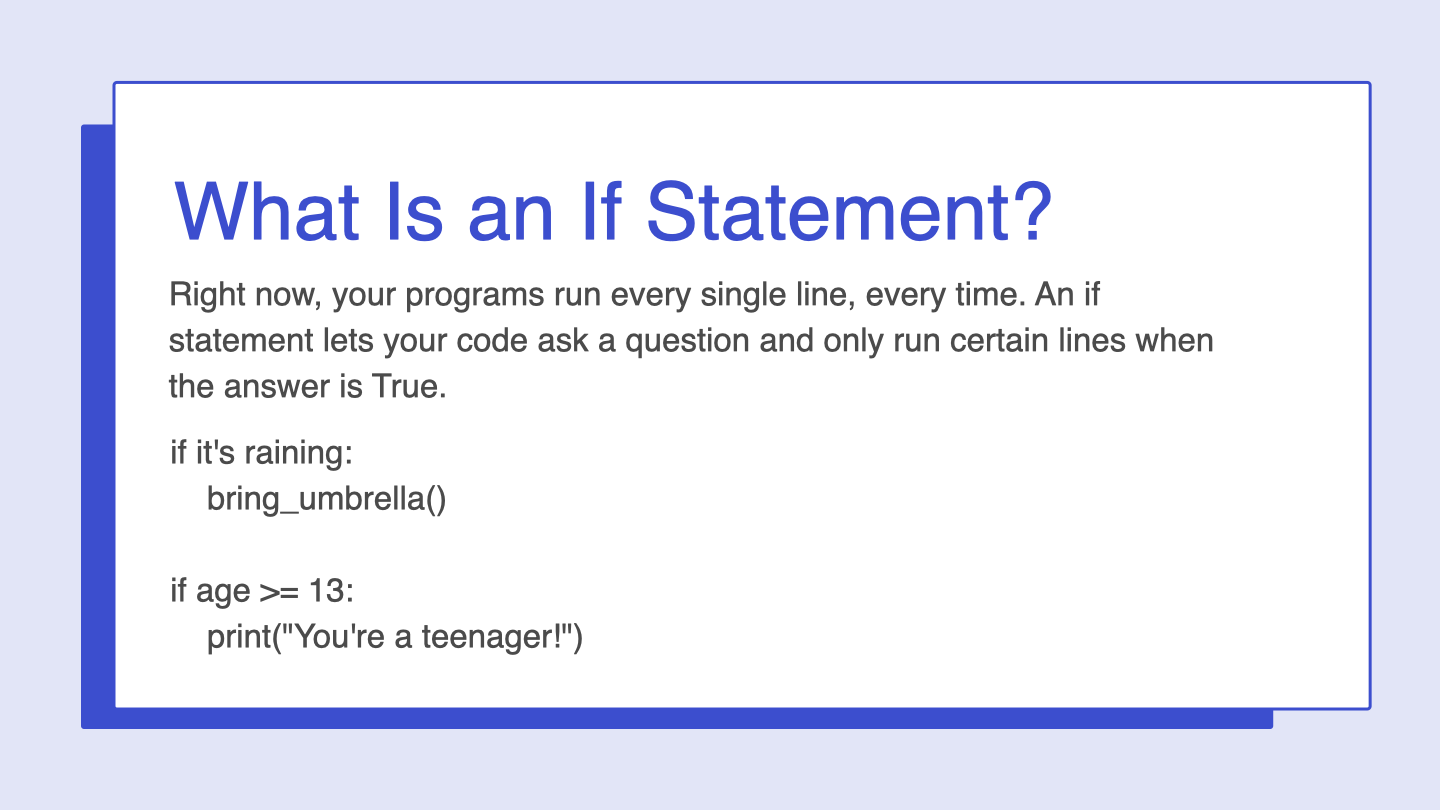
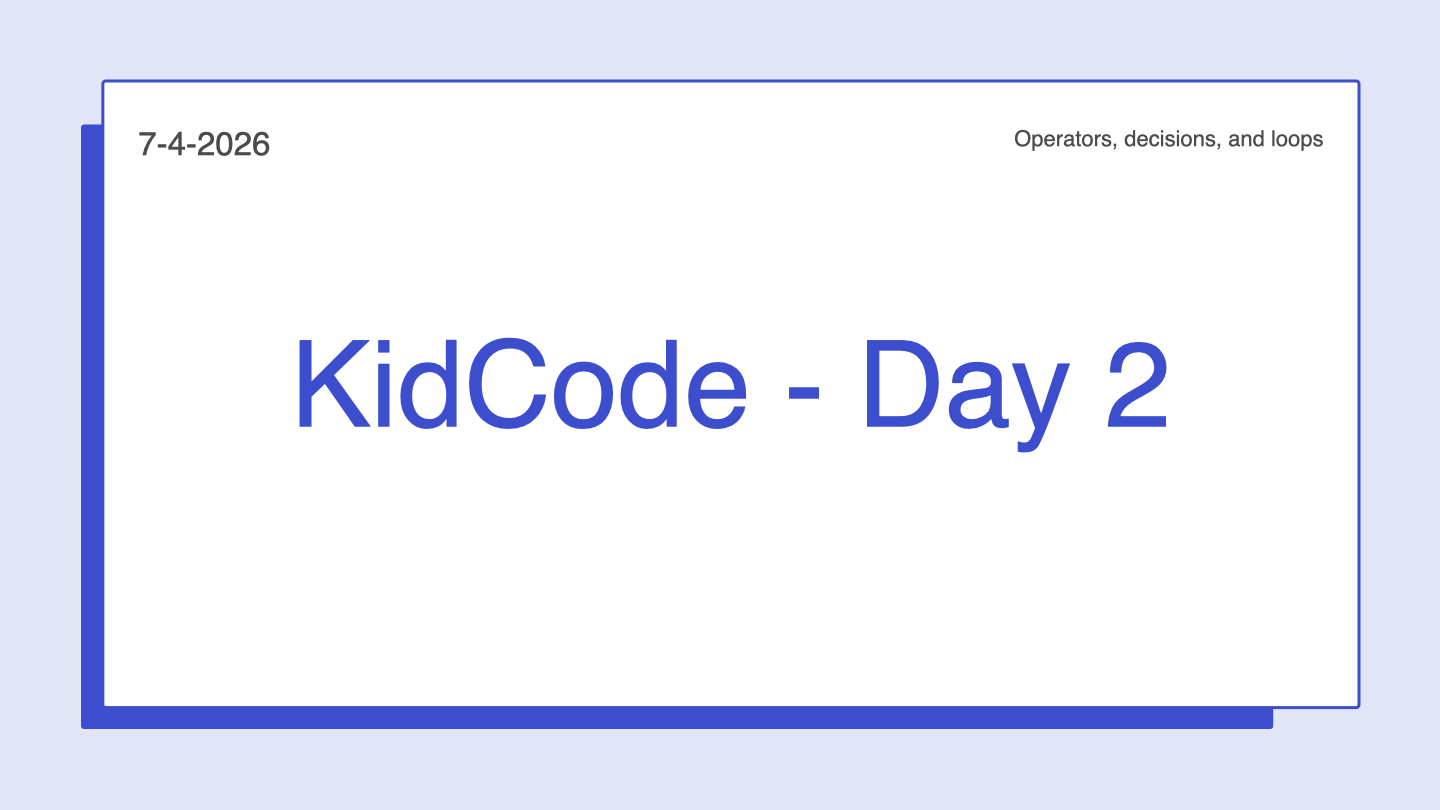
A KidCode lesson slide titled What Is an If Statement
A Day 4 lesson slide.
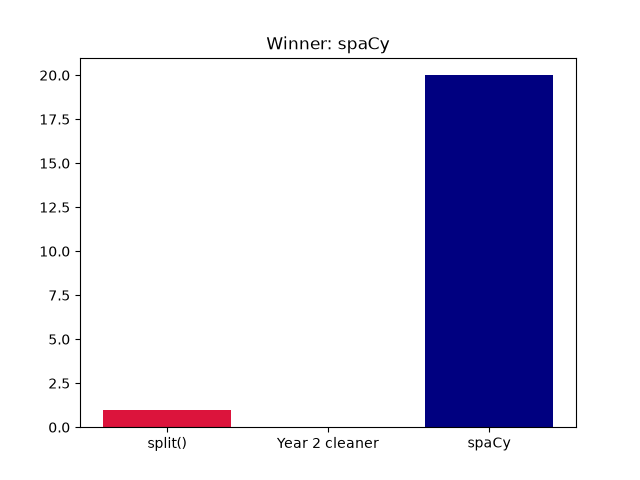
A chart comparing tokenizers, made by a Tokenizer Showdown project
Output of a Year 3 project.
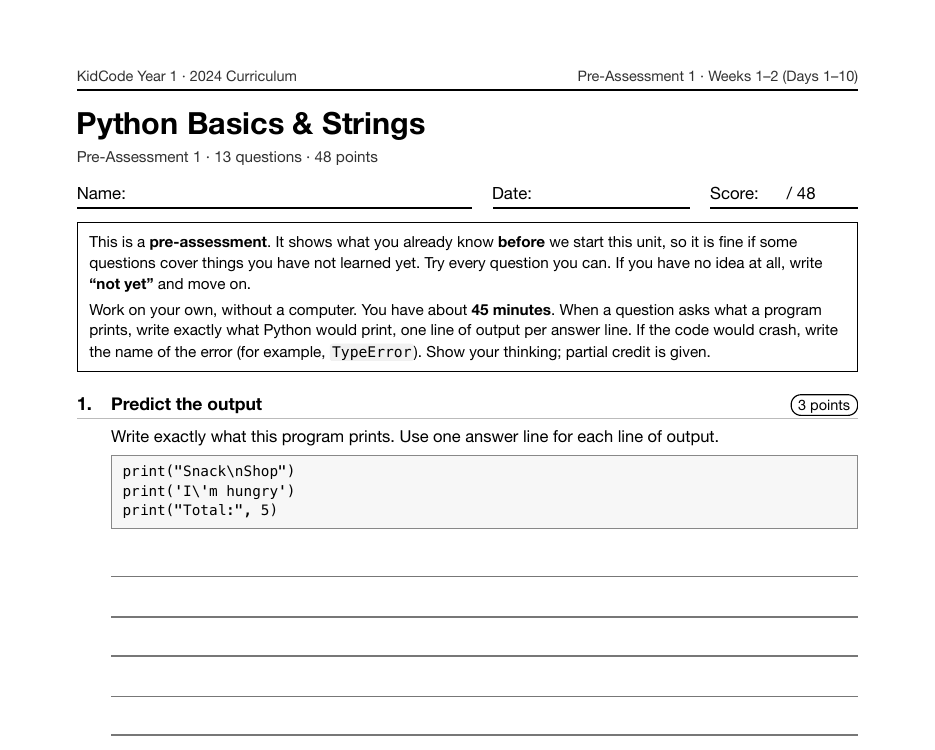
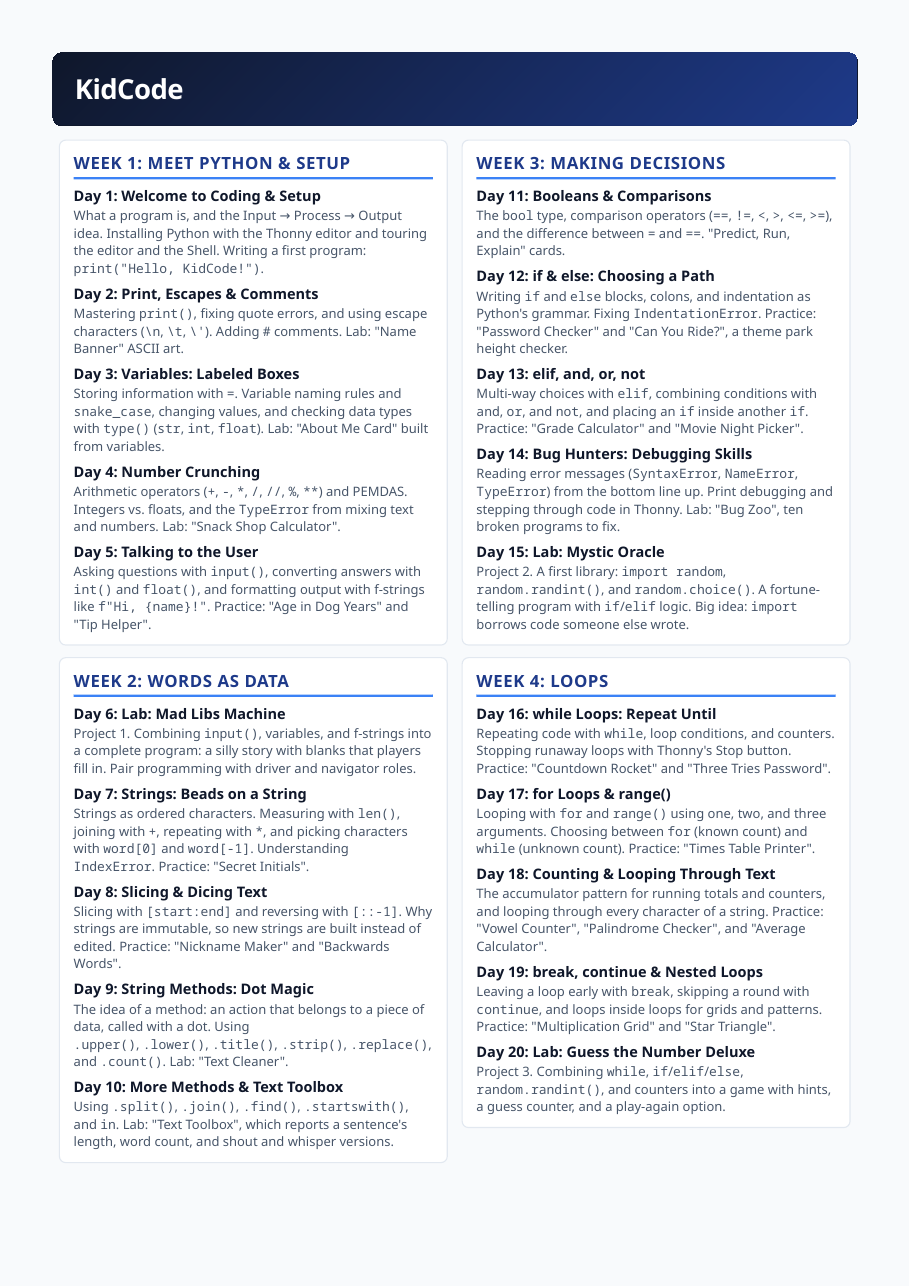
The first page of the Year 1 curriculum
The Year 1 curriculum.
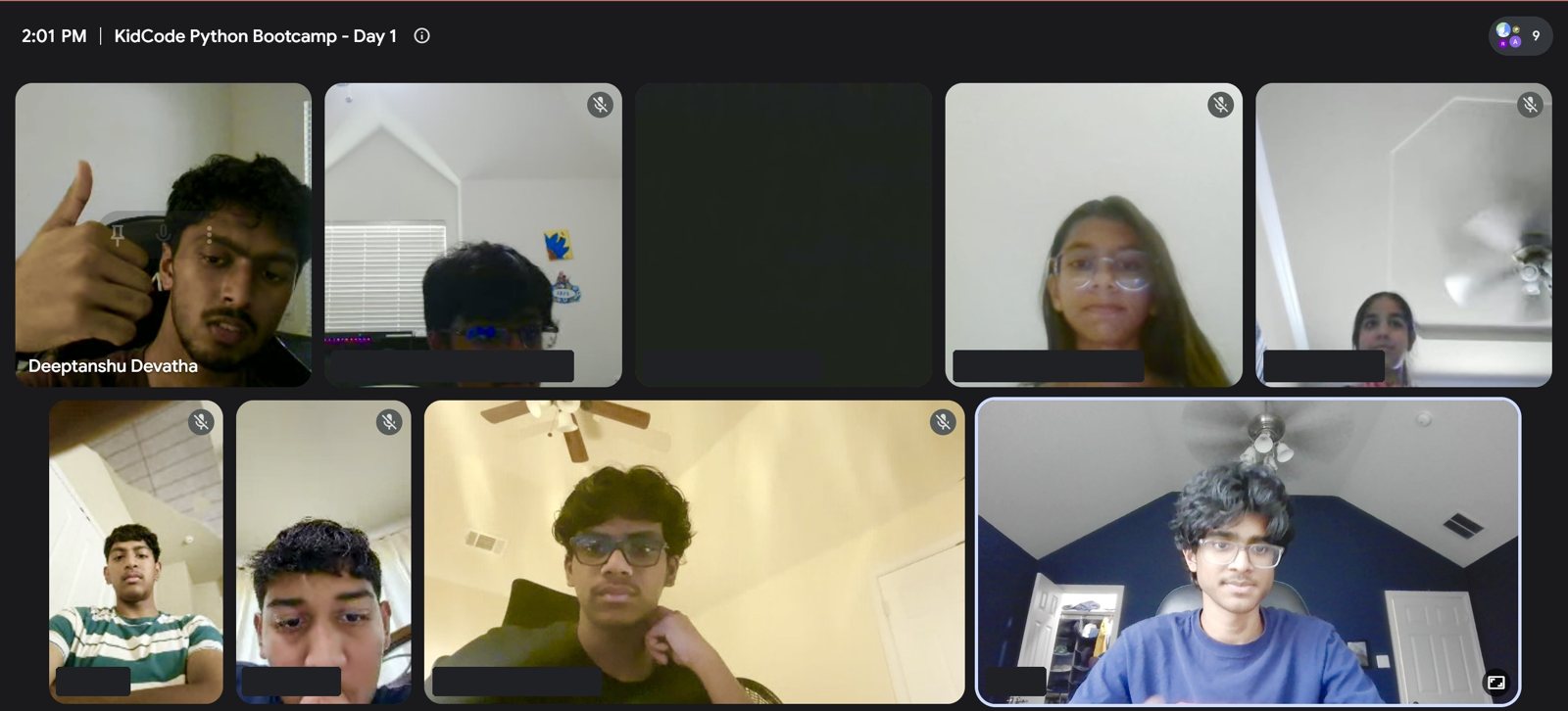
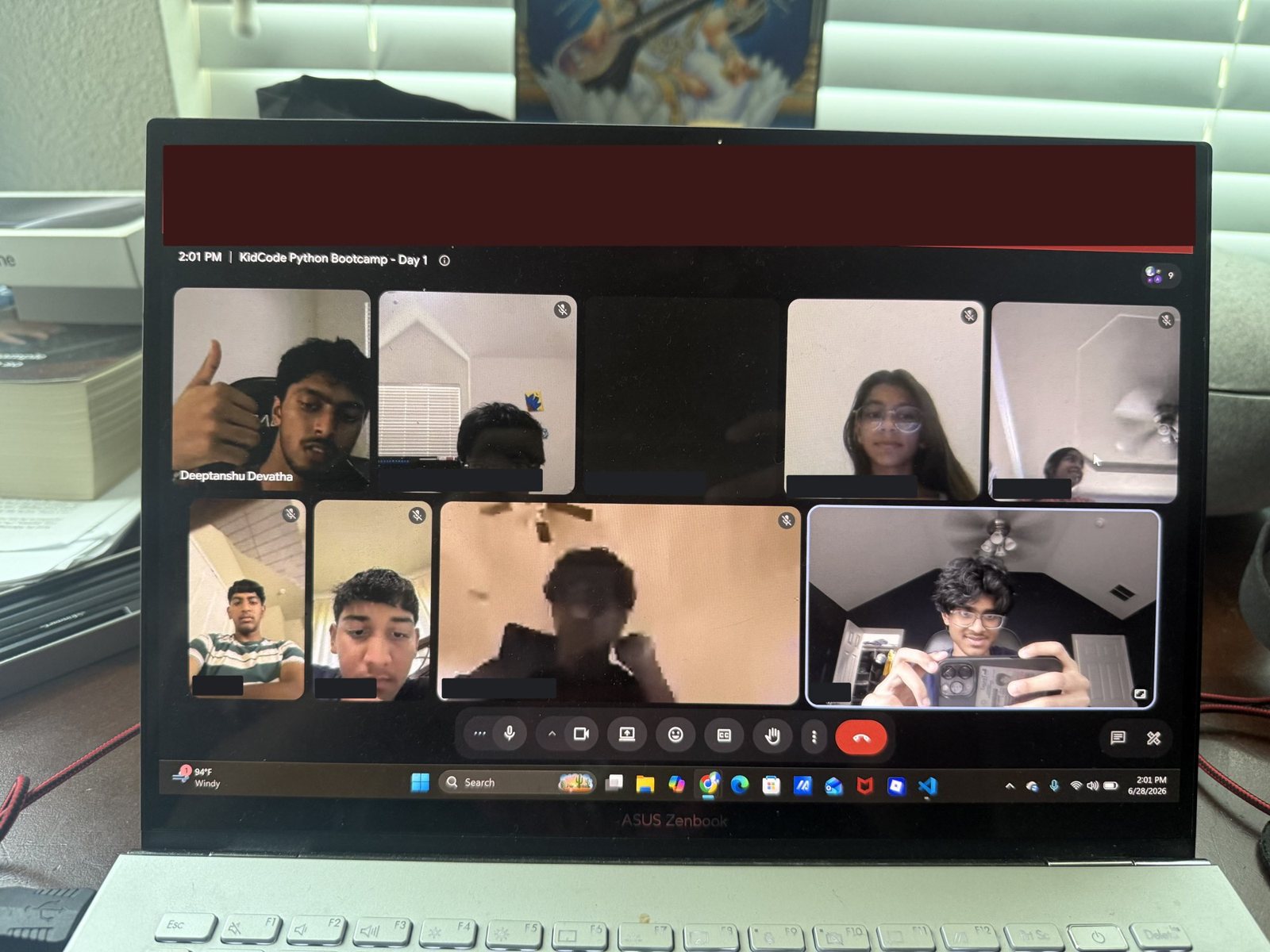
Google Meet grid for KidCode Python Bootcamp, Day 1, with nine participants on video
Day 1 of the summer 2026 bootcamp, on Google Meet.
The people behind KidCode

I didn't run it alone

I started KidCode and wrote its curriculum, lessons and slides. As it grew, I recruited peers to help. Friends and fellow students helped me teach classes, organize sessions and expand the program across the community.

In the summer 2026 bootcamp, two of them helped teach alongside me while I ran the schedule, the slides and the weekly quizzes. The program reached four neighborhoods in 2024, seven in 2025 and ten in 2026, and it took more than one person to keep up.

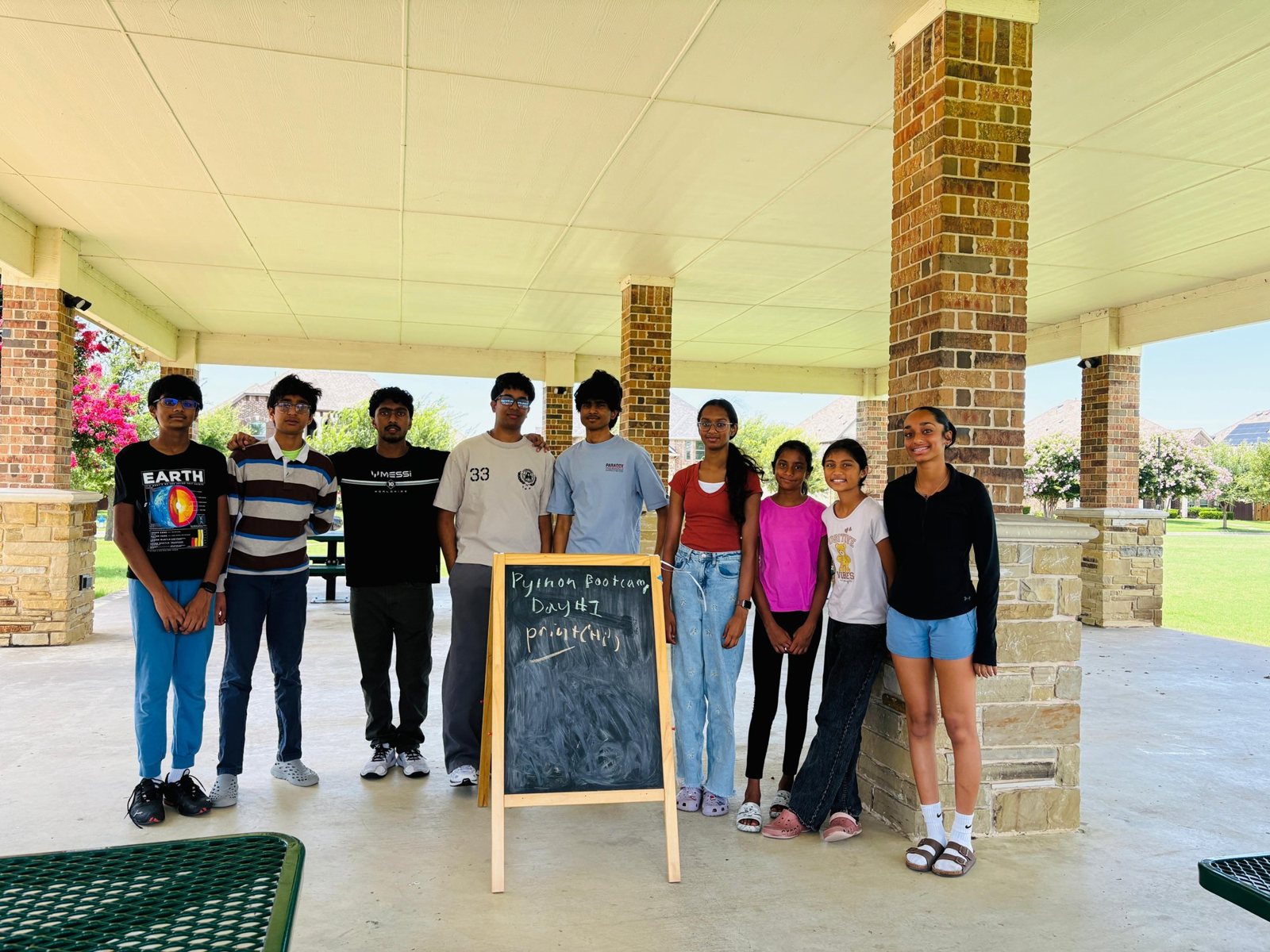
Nine people who helped run KidCode standing beside a chalkboard that reads Python Bootcamp Day 1, under an outdoor pavilion
The peers who helped me teach and organize KidCode, at the pavilion where the summer 2026 bootcamp began.
The students and the curriculum

Three years, three curricula

Each summer ran for eight weeks, with five one-hour classes per week (40 classes), and ended in a capstone. Students worked through hands-on projects, from Python fundamentals to introductory NLP. Each year picked up where the last left off, and some projects came back a year later at a harder level.

2024Year 1

Python from zero

KidCode began with students who had never programmed. Year 1 covered output and variables, strings, decisions, loops, lists, dictionaries and functions, and was built around six projects, from a Mad Libs generator to a text-adventure capstone called Escape the Haunted School. The first year ran in four neighborhoods.

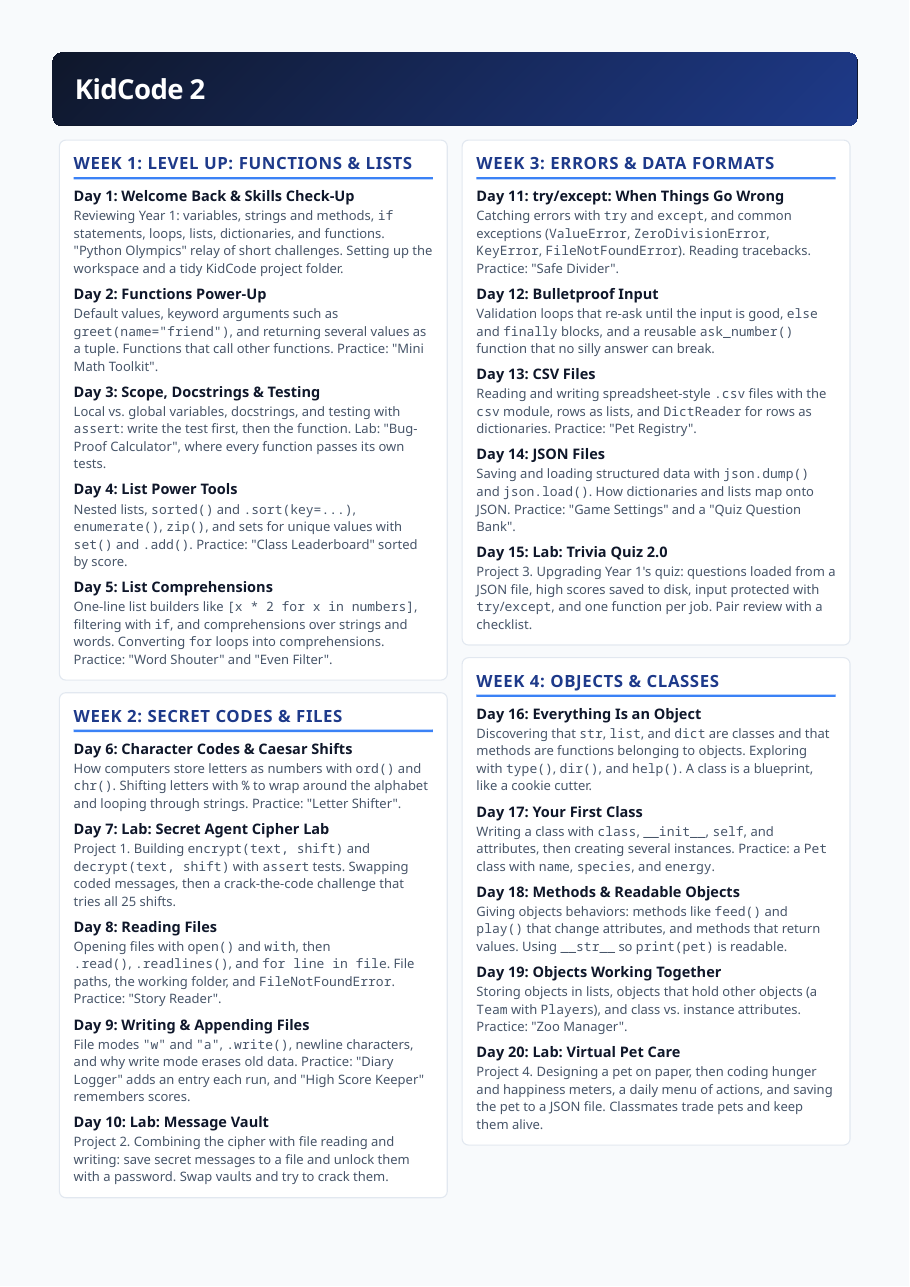
The first page of the Year 1 curriculum, showing weeks one through four day by day
The Year 1 curriculum, day by day: eight weeks of five one-hour classes.

The six projects

1 Mad Libs Machine 2 Mystic Oracle 3 Guess the Number Deluxe 4 Wish List Manager 5 Trivia Quiz Show 6 Escape the Haunted School

It starts with Mad Libs, the first program where input, variables and f-strings all have to work together, and ends with a game students plan on paper before they code it.

See the 2024 curriculum

  • 6projects
  • 138student projects
2025Year 2

Building bigger programs

Year 2 was about writing programs that last. Students learned to test functions with assert, work with files and JSON, handle errors, and organize code into classes and inheritance. The projects grew with it: a cipher lab, a password vault, an upgraded trivia quiz, a virtual pet, a monster battle arena, turtle art, and a text-analysis capstone. The program reached seven neighborhoods that year.

The first page of the Year 2 curriculum, covering functions, files, errors and classes
The Year 2 curriculum: functions and lists, files, errors and data formats, objects and classes.

The seven projects

7 Secret Agent Cipher Lab 8 Message Vault 9 Trivia Quiz 2.0 10 Virtual Pet Care 11 Monster Battle Arena 12 Turtle Art Studio 13 Book Detective

Year 1's trivia quiz comes back with questions loaded from a JSON file, high scores saved to disk, and input protected with try/except.

See the 2025 curriculum

  • 7projects
  • 504student projects
2026Year 3

Natural-language processing

In Year 3, students used spaCy to work with real text: tokens, stop words, lemmas, sentences, parts of speech, named entities, and rule-based matching with Matcher. They built a tokenizer showdown, a keyword detective, a redaction tool, a rule-based chatbot called KidBot, and a capstone each student proposed. By then the program had reached ten neighborhoods.

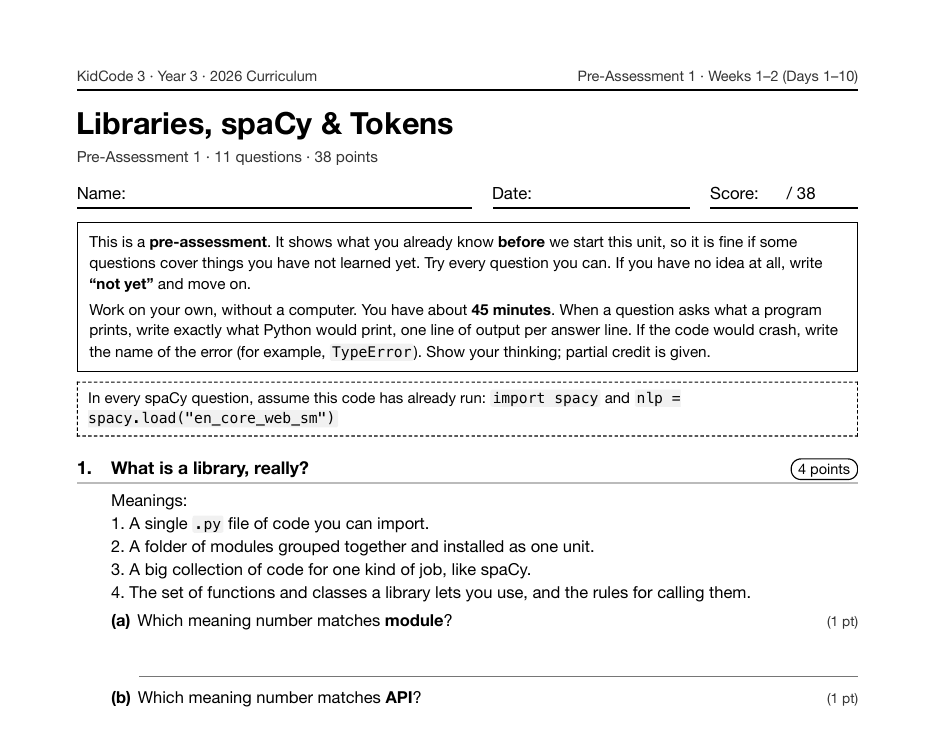
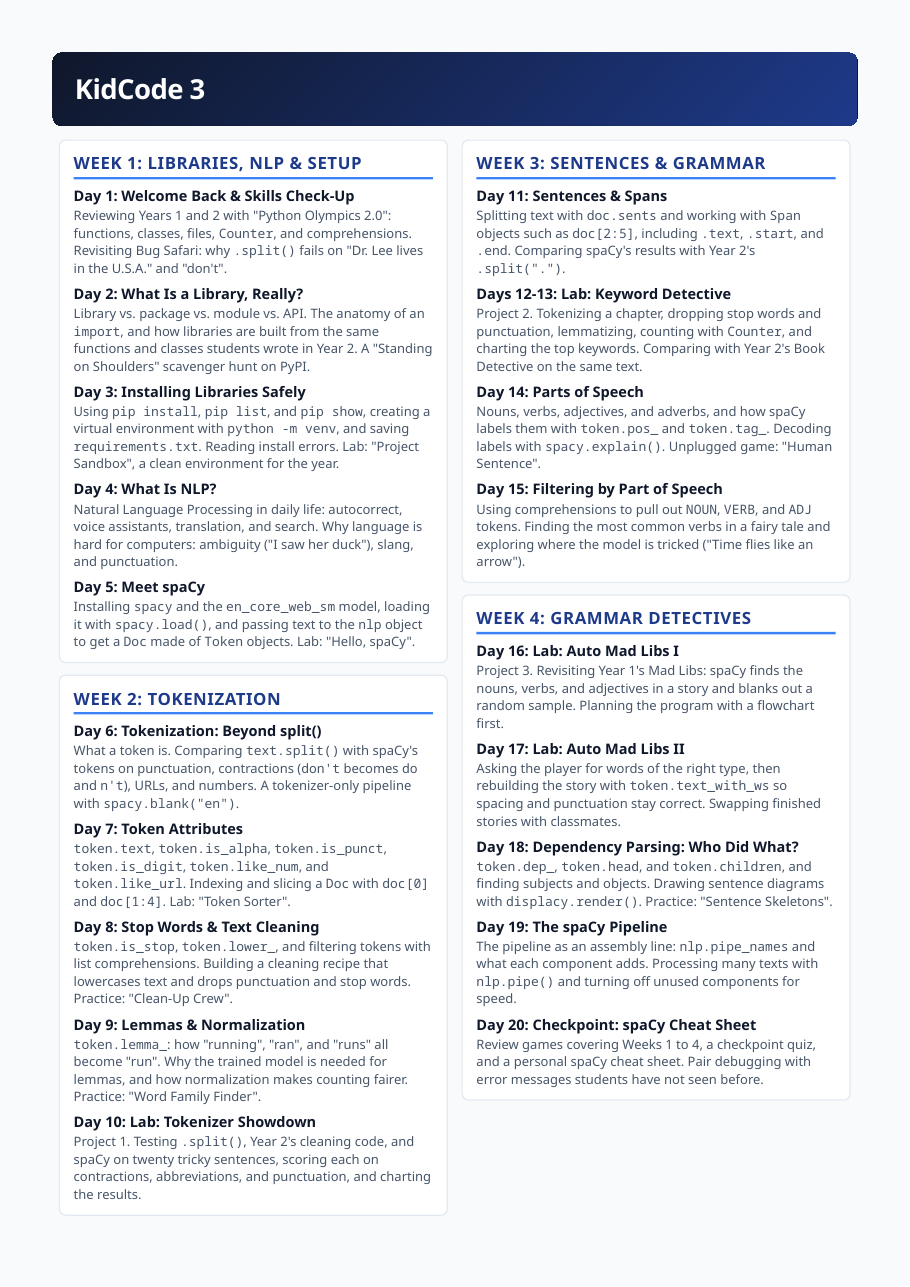
The first page of the Year 3 curriculum, covering libraries, tokenization and spaCy
The Year 3 curriculum: from libraries and virtual environments to tokens, sentences and grammar.

The seven projects

14 Tokenizer Showdown 15 Keyword Detective 16 Auto Mad Libs 17 Character Tracker 18 Privacy Shield 19 KidBot Brain 20 NLP Capstone

Auto Mad Libs is the Year 1 project again, except that spaCy now finds the nouns, verbs and adjectives and blanks them out.

See the 2026 curriculum

  • 7projects
  • 572student projects
Inside the classroom

Summer 2026: a bootcamp for a new group of families

In June 2026 I ran an online bootcamp for a new group of families: a first meeting at a neighborhood pavilion, then one-hour classes on Google Meet and Zoom. I wrote the lessons and slides, sent a recap and homework after each class, and later added weekly quizzes, small projects and a points leaderboard.

The classes did not always go to plan. Zoom cut one session short and I moved it to Meet halfway through; on another day only a few students joined, so I moved that class. I wrote about what worked and what didn't in the class posts: When I tried to teach too much in one hour, What happens when you slow down, and The bug that became the best part of class.

The 20 projects

What students built, in order

Six projects in Year 1, seven in Year 2 and seven in Year 3. Each project has its own page with the lessons that lead into it and where it goes next. Across the three years, students completed more than 1,200 programming projects.

2024 · Year 1

Project 1

Mad Libs Machine

Combining input(), variables, and f-strings into a complete program: a silly story with blanks that players fill in. Pair programming with driver and navigator roles.

input(); variables; f-strings; pair programming (driver/navigator)
Project 2

Mystic Oracle

A first library: import random, random.randint(), and random.choice(). A fortune- telling program with if/elif logic. Big idea: import borrows code someone else wrote.

import; random.randint(); random.choice(); if/elif

Project 3

Guess the Number Deluxe

Combining while, if/elif/else, random.randint(), and counters into a game with hints, a guess counter, and a play-again option.

while; if/elif/else; random.randint(); counters

Project 4

Wish List Manager

A menu-driven program that combines while, input(), if/elif, and lists to add, remove, and show items. Design the menu on paper first, then test in pairs.

while + input() + if/elif + lists; paper design; pair testing

Project 5

Trivia Quiz Show

Questions and answers stored in a list of dictionaries, with score keeping. Accepting messy answers with .lower() and .strip(), and printing the score with an f-string.

list of dictionaries; score keeping; .lower() and .strip(); f-strings

Project 6

Escape the Haunted School

Planning a text adventure called "Escape the Haunted School": sketching the map, listing rooms, items, and win and lose conditions, and drawing a flowchart of the game loop.

program planning; flowchart of the game loop; rooms/items design

2025 · Year 2

Project 7

Secret Agent Cipher Lab

Building encrypt(text, shift) and decrypt(text, shift) with assert tests. Swapping coded messages, then a crack-the-code challenge that tries all 25 shifts.

encrypt(text, shift); decrypt(text, shift); assert tests; brute-force (all 25 shifts)

Project 8

Message Vault

Combining the cipher with file reading and writing: save secret messages to a file and unlock them with a password. Swap vaults and try to crack them.

cipher + file reading/writing; password check

Project 9

Trivia Quiz 2.0

Upgrading Year 1's quiz: questions loaded from a JSON file, high scores saved to disk, input protected with try/except, and one function per job. Pair review with a checklist.

JSON question bank; persistence; try/except; single-purpose functions; checklist pair review

Project 10

Virtual Pet Care

Designing a pet on paper, then coding hunger and happiness meters, a daily menu of actions, and saving the pet to a JSON file. Classmates trade pets and keep them alive.

class design; hunger/happiness meters; menu of daily actions; saving to JSON

Project 11

Monster Battle Arena

A Monster parent class with name, hp, and attack, plus FireMonster and WaterMonster children. A turn-based battle loop with random damage, type advantages, and a saved "Hall of Fame".

Monster parent class (name, hp, attack); FireMonster/WaterMonster children; battle loop

Project 12

Turtle Art Studio

Using the built-in turtle library: turtle objects with methods such as forward(), left(), and begin_fill(). Loops and functions draw spirals, stars, and a draw_flower() function.

turtle objects and methods (forward(), left(), begin_fill()); loops and functions for spirals/stars; draw_flower()

Project 13

Book Detective

Planning a TextAnalyzer class that loads a book and reports total words, unique words, longest word, average word length, and top words. Sketching attributes and methods on paper.

class design on paper; attributes/methods; statistics: total words, unique words, longest word, average length, top words

2026 · Year 3

Project 14

Tokenizer Showdown

Testing .split(), Year 2's cleaning code, and spaCy on twenty tricky sentences, scoring each on contractions, abbreviations, and punctuation, and charting the results.

.split(); Year 2 cleaning code; spaCy; scoring on contractions/abbreviations/punctuation; charting

Project 15

Keyword Detective

Tokenizing a chapter, dropping stop words and punctuation, lemmatizing, counting with Counter, and charting the top keywords. Comparing with Year 2's Book Detective on the same text.

tokenize a chapter; stop words/punctuation removal; lemmatize; Counter; charting; comparison with Year 2 Book Detective

Project 16

Auto Mad Libs

Revisiting Year 1's Mad Libs: spaCy finds the nouns, verbs, and adjectives in a story and blanks out a random sample. Planning the program with a flowchart first.

POS-driven blanking; random sampling; flowchart planning

Project 17

Character Tracker

Loading a public-domain story and running one chapter at a time through nlp. Extracting PERSON and GPE entities and counting them with Counter.

public-domain story; one chapter at a time through nlp; PERSON and GPE; Counter

Project 18

Privacy Shield

Planning a redaction tool: which entity types (PERSON, GPE, ORG, DATE) to hide, what placeholders like [PERSON] look like, and how to test on sample letters.

PERSON/GPE/ORG/DATE; placeholders like [PERSON]; test on sample letters

Project 19

KidBot Brain

Designing a rule-based chatbot: listing intents (greeting, joke, weather), writing Matcher patterns for each, and sketching the conversation loop.

intents (greeting, joke, weather); Matcher patterns per intent; conversation loop

Project 20

NLP Capstone

Loading text from a file, running the spaCy pipeline, and organizing code into functions or classes. Daily stand-up check-ins: what I did, what is next, and what is blocking me.

file loading; spaCy pipeline; functions/classes; daily stand-ups

Student work

What the programs produce

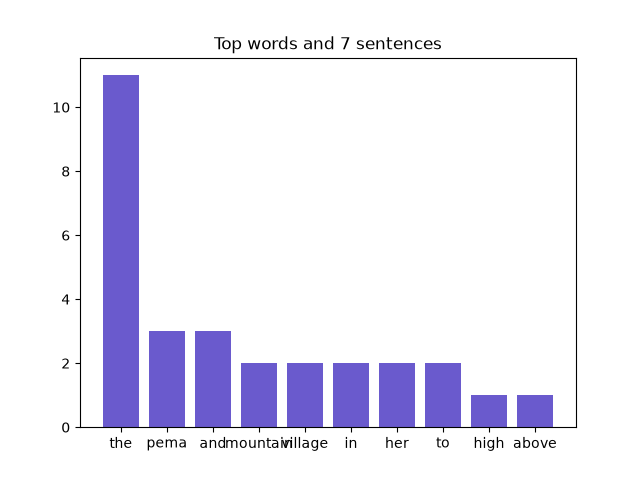
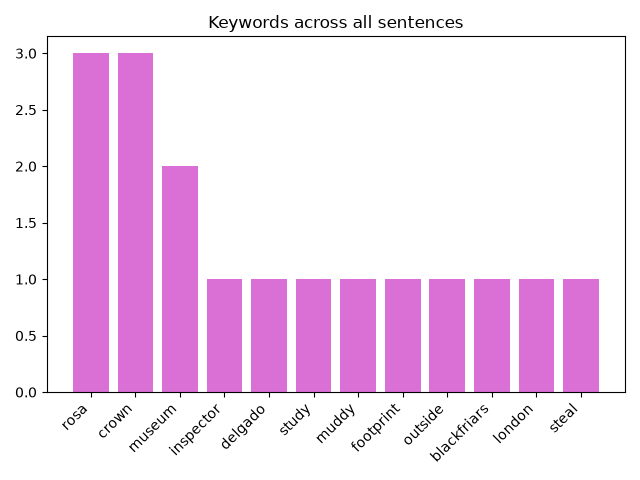
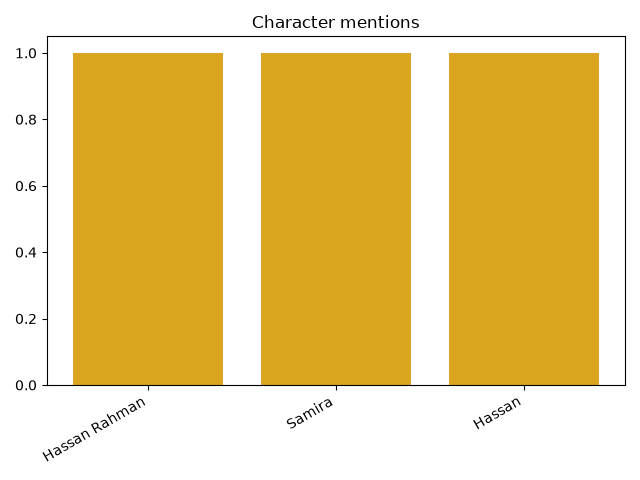
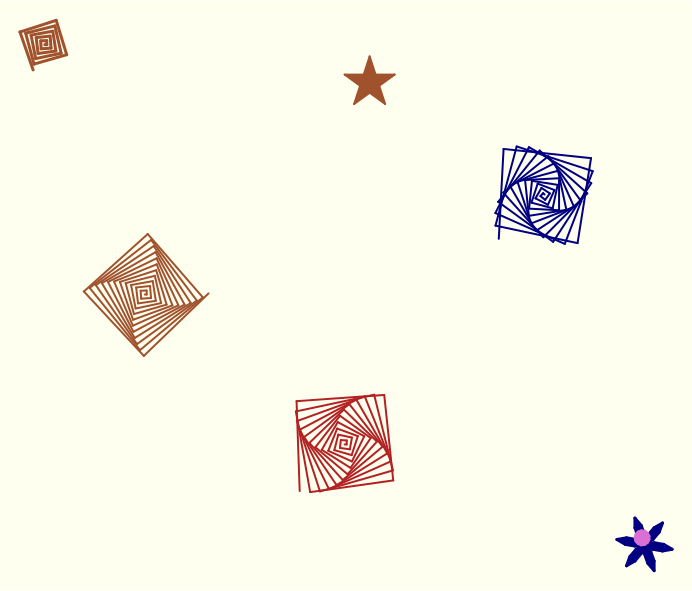
A few of the things students' programs make: a turtle drawing, and charts from the Year 2 and Year 3 text projects.

The curriculum builds on itself

Some projects come back a year later at a higher level. The Year 1 Mad Libs returns in Year 3 as Auto Mad Libs, where spaCy picks the blanks. The Year 1 trivia quiz returns in Year 2 with JSON storage and error handling. And Year 3 opens by testing the text-cleaning code students wrote in Year 2 against spaCy's tokenizer, on sentences like “Dr. Lee lives in the U.S.A.”

From print() to a chatbot

Year 1 programs are short and ask the player a few questions. By Year 2 students are writing classes that save their state to files, and by Year 3 they are building a rule-based chatbot that answers questions using spaCy's entity recognition and pattern matching.

What students learned

Before and after each unit

Every unit has a pre-test and a post-test I wrote from the curriculum: 13 pairs across the three years. The two forms cover the same skills in the same format, with different code. Students take them on paper, without a computer.

Of the 104 students who took both, the average score went from 41.7% to 58.8%, a gain of 17.1 percentage points. 99 improved, 4 stayed the same and 1 went down.

41.7% → 58.8%average score, before and after
99 of 104students improved

See all 13 pairs and the results.

Notes & context

  • The assessment shows how scores changed, before and after. There was no comparison group, so it doesn't measure what caused the change.
  • 120 one-hour classes across three summers (40 per summer). Project counts are counts of completed projects, not attendance.
  • The 2024 and 2025 class posts on this site were written in September 2026, looking back at each class through the curriculum. The 2026 bootcamp posts were written right after each class.
  • The ten communities are where students live. KidCode isn't run with or sponsored by any of them.